Own product · iOS + Android · 2026

Music Toys

Four music tools in one offline app: tempo, key, tuner and metronome. Built by a producer who got tired of juggling five apps to answer three questions.

Music Toys tempo screen showing a 123 BPM result with half and double tempo
Music Toys key screen showing A minor for the full track and a selected section
Music Toys metronome playing at 123 BPM in 4/4
Status
Live on the App Store and Google Play
Platforms
iOS · Android
Built with
Flutter · Dart
First spec to release pipeline
7 weeks

The problem

Three questions, five apps.

Before Creative Blaq, our founder made music as Tieten Blaq. Every session hit the same questions, and every answer lived in a different app: one to tune, one to count time, a website to guess the key, Shazam when that failed.

Worse, most of those tools only work on music that's already in a database. A voice memo from a jam, a bandmate's demo or a sample lifted off vinyl gets no answer at all. That's the audio musicians actually work with.

  • What's the tempo?
  • What's the key?
  • Am I in tune?

What it had to be

Any audio, answered on the phone

Files, the microphone or tapping along. Analysis runs on the device, so there's no account, no upload and no waiting on a server.

Honest about certainty

Every result carries a Strong, Likely or Uncertain label, plus the runners-up, so a musician can overrule the app when their ear disagrees.

A tool, not a classroom

No theory lessons, no stem splitting, no song catalogue. Four instruments on a workbench, each one tap away.

Decisions

The calls that shaped it.

We wrote our own detectors instead of licensing GPL code.

The plan named aubio and Essentia, the standard open-source audio libraries. Both are GPL-licensed, which doesn't sit well with a closed-source app on the stores.

So we wrote three detection engines in pure Dart, one each for tempo, key and pitch, and released them under the MIT licence. Heavy analysis runs off the UI thread; when three parallel jobs copied roughly 90 MB of audio and froze Android, we folded them into a single background worker.

Engines
Tempo · Key · Pitch
Licence
MIT

Three opinions on every key.

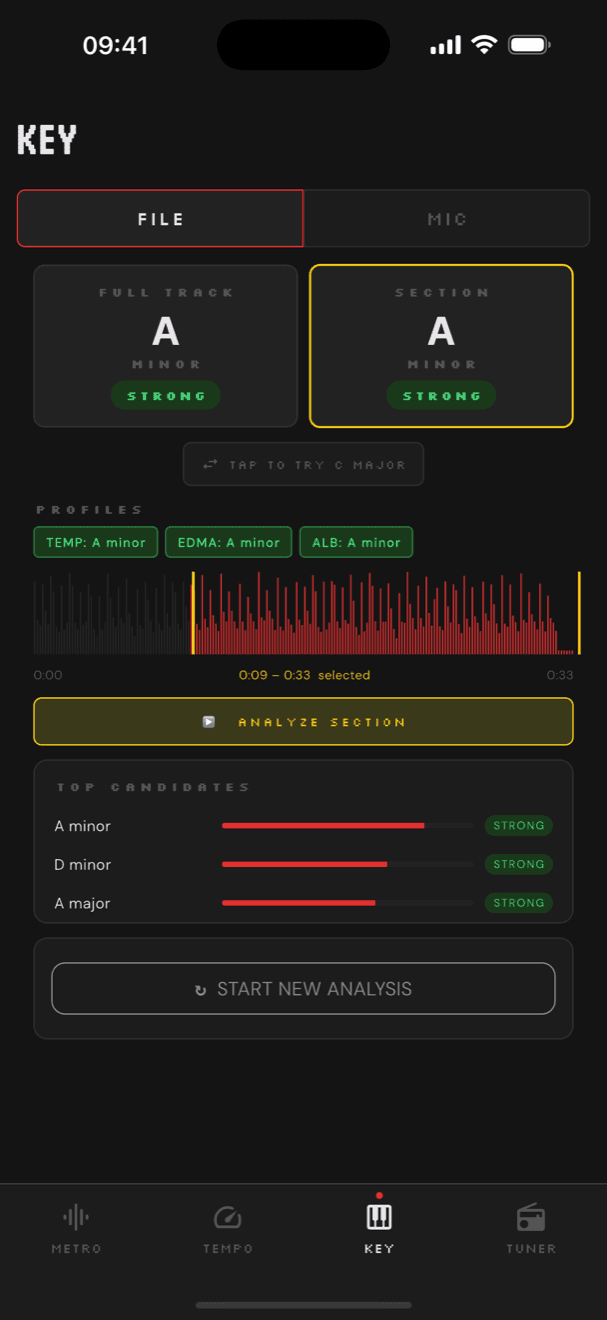
Key detection compares the audio against three musical models (Temperley, EDMA and Albrecht–Shanahan) and lets them vote. When they agree, the app says so; when they don't, you see the split.

The engine went from version 0.2 to 0.7 in two days, each release fixed against a real track that fooled it. A hidden long-press sheet shows the bass notes the detector heard, which is how those fixes were found. Pick any stretch of the waveform and the section gets its own answer, because songs modulate.

Key screen: full track and section both A minor, three profiles agreeing
Full track and a hand-picked section, both A minor. All three models agree.

Half or double? Show both.

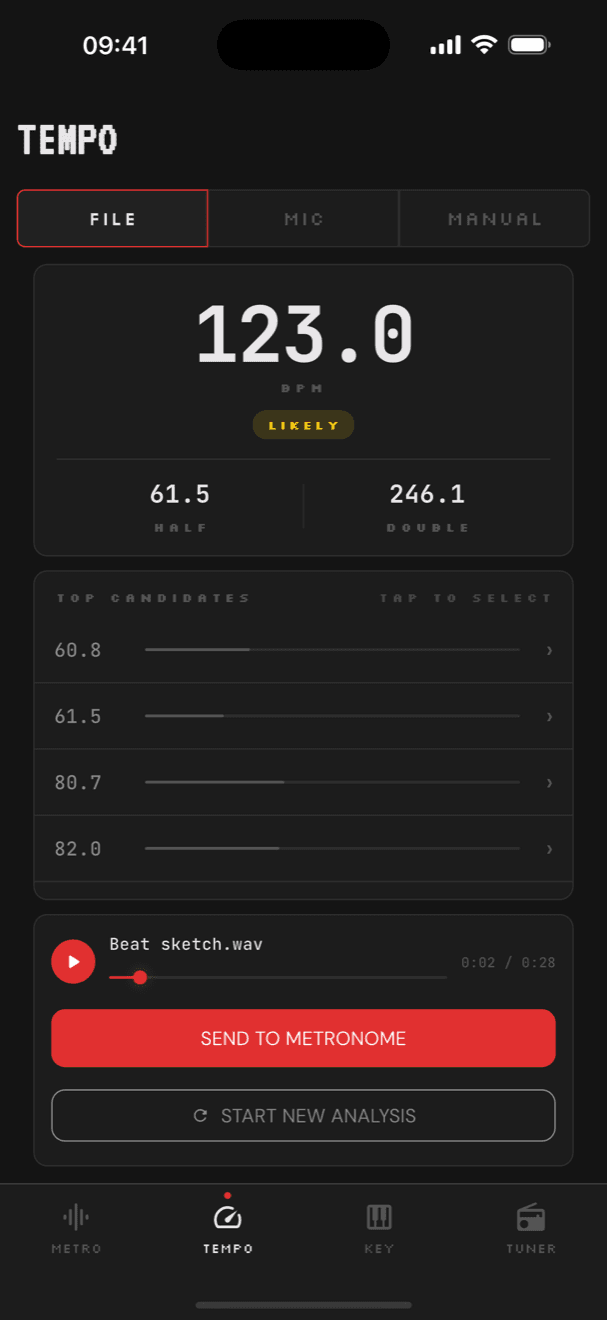
The classic tempo mistake is landing on half or double the real speed. Instead of hiding that, the result card always shows the half and double values and the top candidates, one tap from being chosen.

A second pipeline handles melodic material like piano and vocals. If both come up empty, the app sends you to Manual mode to mark beats on the waveform instead of showing a dead-end error.

Tempo screen showing 123.0 BPM, with 61.5 half and 246.1 double
A 122 BPM test groove read as 123.0, with half and double one tap away.

A metronome that doesn't drift.

The first build used an off-the-shelf metronome package. Its native audio thread had race conditions that crashed Android outright.

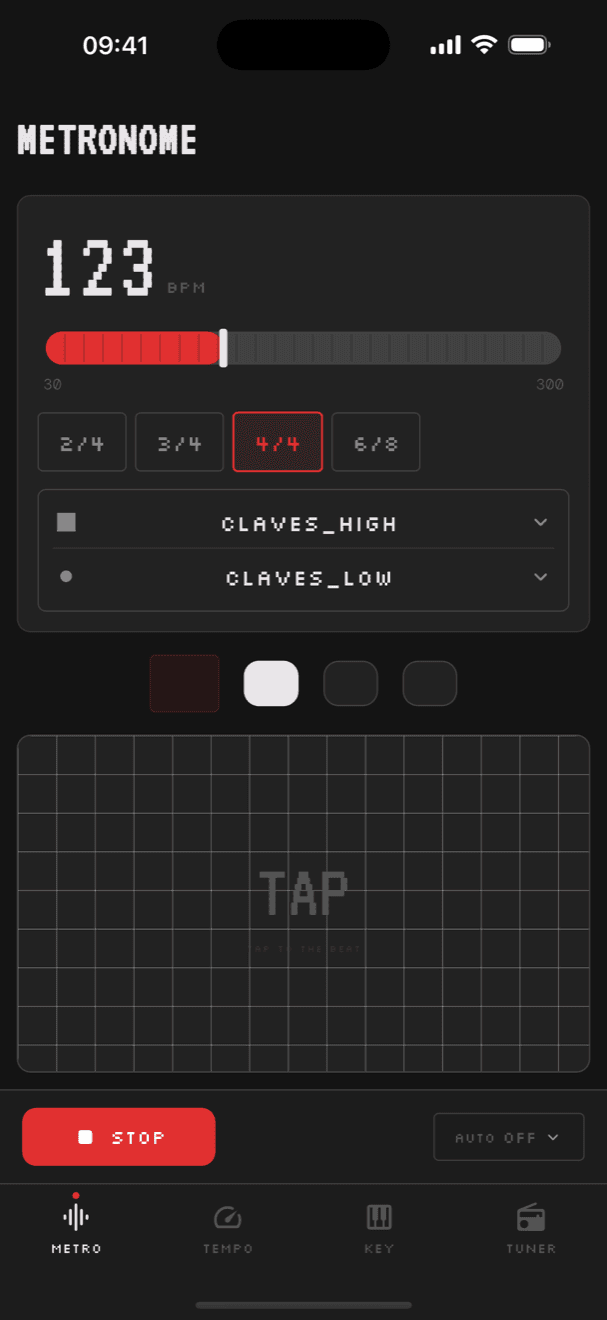
We replaced it with a scheduler in Dart that places every tick against an absolute clock, so small timing jitter never accumulates. Tap tempo listens to the moment a finger lands rather than when the tap completes, which keeps fast taps honest. Any detected tempo sends straight to the metronome.

Metronome playing at 123 BPM after a tempo was sent from the Tempo screen
Sent from Tempo: the metronome starts at 123 BPM.

Tuning how the tuner feels.

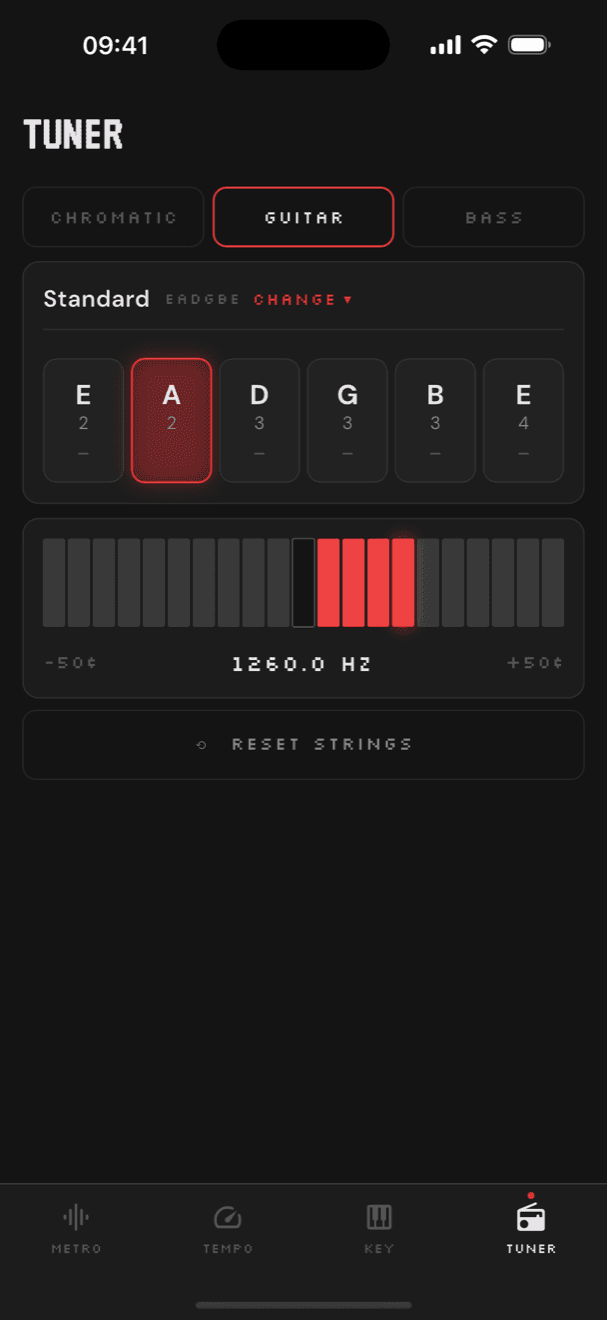
A tuner that's accurate but twitchy is useless on a gig. In one day of testing the smoothing went from three samples to five, the lock window from ±3 to ±5 cents, the hold time from 500 to 380 ms and the meter range from ±25 to ±50 cents.

It detects which string you're playing, locks when it's steady, gives a haptic tap and celebrates when all six are in tune.

Lock window
±5¢
Hold to lock
380 ms
Tuner in guitar mode with standard EADGBE tuning and a 21-segment LED meter
Guitar mode with a 21-segment LED meter.

Design language

Music hardware, pocket-sized.

The look borrows from the gear on a producer's desk and the handhelds in their pocket: graphite panels, one red signal colour, pixel type and meters made of segments rather than needles.

It's built as a shared Flutter design system with its own playground app, so all four tools draw from the same tokens and components.

Labels · SilkscreenTAP TO THE BEAT
Headings · VT323METRONOME
Readouts · JetBrains Mono123.0 BPM
  • Background#141414
  • Surface#1C1C1C
  • Panel#282828
  • Text#E8E8E8
  • Signal red#E03030

In the lineage of

How it shipped

Shipped like a product, not a prototype.

The workspace splits into the app, a shared design-system package and a playground. Riverpod handles state, GoRouter handles navigation and Hive stores settings and history on the device.

Every pull request is analysed, tested and built for iOS on Codemagic. Tagging a release sends it to TestFlight, the App Store and a Google Play draft, and Shorebird pushes Dart fixes over the air without waiting on review.

  • Flutter
  • Riverpod
  • GoRouter
  • Hive CE
  • just_audio
  • Codemagic
  • Shorebird
  • ~250 tests
  1. 14 AprMetronome spec and first build
  2. 16 AprTempo detection
  3. 19 AprTuner
  4. 21 AprKey detection begins
  5. 11 MayMelodic tempo fallback
  6. 29 MayCI/CD, signing, over-the-air patches
  7. 24 JulStore assets and marketing site
  8. 11 SepLive on the App Store

What's next

On iOS 27, Apple's new Music Understanding framework adds on-device beats, bars, song sections and key changes over time. We're building a Flutter plugin for it, with our own engines as the fallback on older iPhones and Android.

Running both engines on the same audio also tells us exactly where our detectors disagree, which makes every platform better.